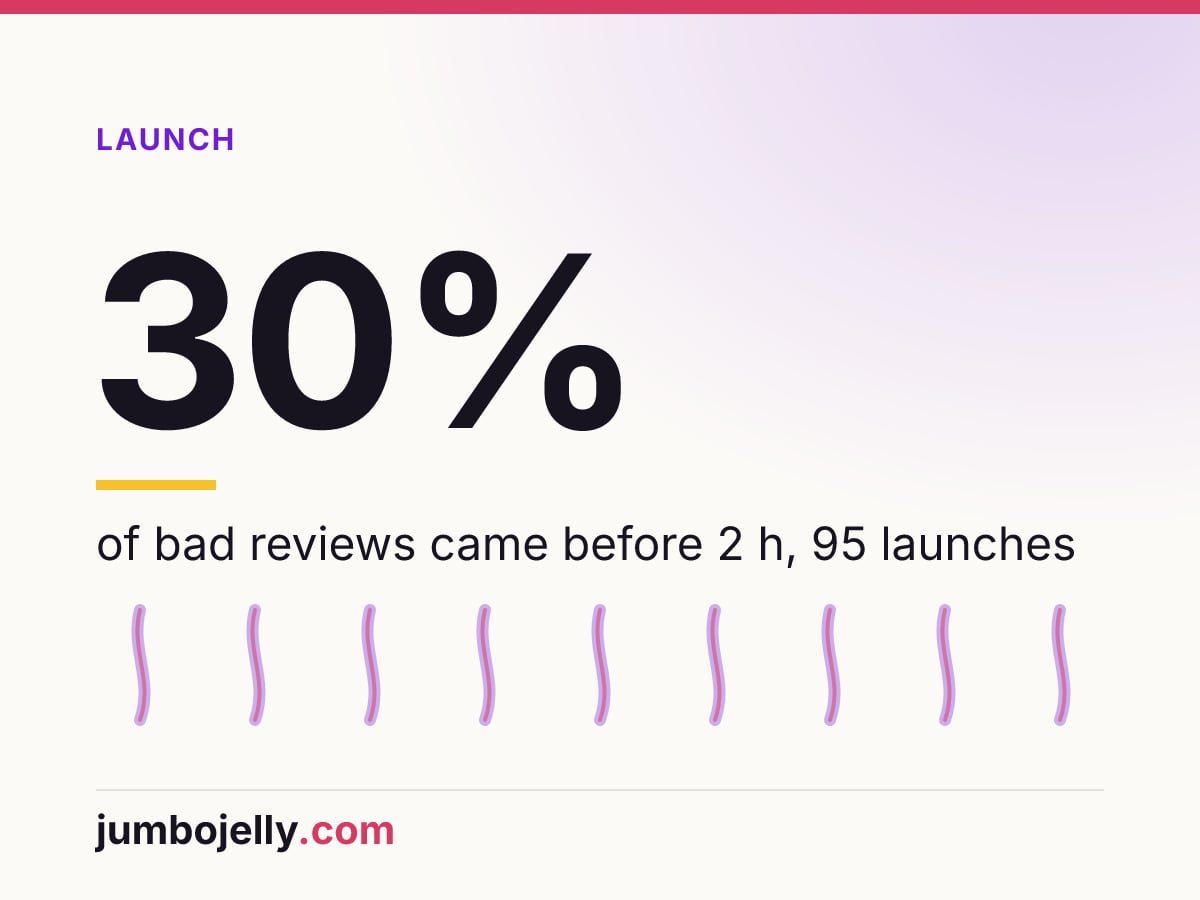
Steam refunds any game bought in the last 14 days and played for under 2 hours. That makes the first 120 minutes of your launch build a trial that a paying player can cancel. In our sample of 95 September 2026 launches, 30% of negative early reviews were written before 2 hours of play. Those are the minutes to test hardest before release.
What does the Steam refund 2 hours rule say?
Valve’s Steam Refunds page was last updated on 23 April 2024 (read on 30 October 2026). It promises a refund “for any reason, if the request is made within the required return period, and, in the case of games, if the title has been played for less than two hours”. The page names its own examples: a PC below the hardware requirements, a purchase by mistake, a game played for an hour and disliked. This article reads those rules from the developer’s side. It is not advice for players on getting a refund.
| Clause on Valve’s page | What it means for a launch build |
|---|---|
| 14 days from purchase, under 2 hours played | Every launch-week buyer can return the game after any problem in the opening |
| Requests outside the rules: “we’ll take a look” | The 2 hours are a guaranteed window, not a hard wall |
| Pre-purchase: the 14 days start on the release date | Launch day resets the clock for everyone who pre-ordered |
| Early Access and Advance Access playtime counts against the 2 hours | Players who started early arrive at launch with less refund time left |
| DLC: 14 days, and under 2 hours on the base game since the DLC purchase | A DLC that breaks the base game reopens the same window |
| Bundles: under 2 hours combined | A bundle with a demo-length extra uses up playtime faster |
The developer-side reading is short. A buyer can play for 119 minutes, hit a crash, a wrong resolution or a keyboard-only menu, and leave with the money. The written reasons they give later land in your Steamworks reports, and each one reads like a bug report with the repro steps missing. The free bug report grader scores a report on 8 things a programmer needs, which makes a useful filter when you copy refund notes into your tracker.
How many launch reviews are written inside the first 2 hours?
Refunds are private to the developer, so we looked at the public side of the same window. Every Steam review records the author’s playtime at the moment of writing. We took the 95 games with at least 200 reviews from the October 2026 edition of the Steam Launch Bug Index. For each, we pulled up to 300 English reviews from Steam buyers, written on launch day or in the 14 days after it. That gave 27,294 reviews, collected on 30 October 2026.
| Reviews from the first 15 days, 95 September 2026 launches | Written before 2 h of play | Written at 2 h or later |
|---|---|---|
| Reviews | 4,340 (15.9%) | 22,954 |
| Share negative | 29.9% | 13.1% |
| Negative reviews | 1,299 | 3,018 |
| Negative reviews mentioning a bug, crash, stutter or freeze | 17.1% | 25.1% |
A review written before 2 hours is more than twice as likely to be negative. Across the 4,317 negative reviews, 30% came before the 2-hour mark: 397 in the first 30 minutes, 444 between 30 and 60, and 458 between one and two hours. Per game the picture varies. The median launch had 10.7% of its reviews written under 2 hours, and a quarter of launches were above 21.7%.
Two limits apply to these numbers. Steam returns the newest reviews first, so for games with more than 300 reviews in the window our sample leans toward the later days, when players have more hours. If anything, that understates the share written under 2 hours. A second pull on 6 November with a 14-day window, used for our count of the bug types players name in launch reviews, gave 27,156 reviews and a 16.1% share under 2 hours, close to the 15.9% here.
Playtime at review is not a refund signal. A player can review at 40 minutes and keep the game, and many refunders never write a review. What the numbers do show is where the early verdict forms. If the opening of your release candidate has only ever run on the team’s own machines, a Smoke Test gives that build 8 hours with one tester, enough for the opening on more than one machine. The prioritized bug list arrives in 2 business days.
Which bugs show up in the first 120 minutes?
The surprise in the table above is the bug column. Early negative reviews mention bug words less often than later ones, 17.1% against 25.1%. So most early verdicts are about something other than a named bug. Public refund data from studios points the same way. In the 2016 figures that Facepunch and RocketWerkz posted, “Not fun” was the top refund reason for Garry’s Mod, Chunks and Out of Ammo.
The technical complaints that do appear early have a different shape from later ones. We sorted the negative reviews by keyword groups. The groups are an editorial grouping, and one review can fall into several.
| Keyword group (negative reviews) | Before 2 h | 2 h or later | Where it sits in the opening |
|---|---|---|---|
| Performance: fps, frame rate, stutter, lag, optimization | 9.2% (120) | 8.0% | First heavy scene, first crowd or effect-heavy fight |
| Settings and display: resolution, fullscreen, ultrawide, vsync | 4.9% (64) | 3.2% | Minutes 0 to 15, first boot and options menu |
| Launch and crash: won’t start, black screen, crash | 4.5% (59) | 5.6% | First boot, first loading screen, first cutscene |
| Saves and progress: save file, lost progress, stuck, softlock | 3.7% (48) | 5.6% | First quit and continue, first checkpoint |
| Controller and input: gamepad, rebinding, Steam Input | 2.9% (38) | 1.5% | First menu, first tutorial prompt |
| Online: servers, disconnects, matchmaking | 2.3% (30) | 4.1% | First lobby, if the game has one |
Three groups are more common before the 2-hour mark: performance, settings and display, and controller input. Those are the things a player meets in the first menus and the first demanding scene. Crashes, save trouble and server problems grow later, once players reach deeper systems. The older studio data points the same way. Facepunch listed “System requirements not met” and “Frame rate too low” as the first and third refund reasons for Rust. RocketWerkz said most “Other issue” refunds for Out of Ammo were about AMD GPUs in VR (MCV, 6 July 2016, read 30 October 2026).
Where does Steamworks show refund rates and reasons?
Valve documents it on the Developer Refund Reporting page (read 30 October 2026). Open the Sales and Activations Reports site, choose a package and click “Refund Data” under Links. The page offers recent week, month and lifetime views. Each view shows refund numbers, a rate, and “reasons that players have specified when seeking a refund”, grouped by category, with the players’ written notes inside.
Valve defines the rate as “the number of units returned in a given period divided by the number of units purchased in that period”. It also warns that “the week view may be quite volatile”, above all right after launch and after discounts. The page frames the data as a work list. It can show whether there is work “to address bugs, balance gameplay, or better set player expectations ahead of time”.
Two limits matter in launch week. The categories are chosen from a fixed list, so one category can hold a crash, a typo and a disliked art style. The developer of Paddle Paddle Paddle made that complaint in July 2026, reporting more than 55,000 refunds, a 21% rate, for a game that some players finished inside 2 hours (GIGAZINE, 13 July 2026, developer’s own figures, read 30 October 2026). The useful part is in the notes, read one by one.
For scale, the only broad public benchmark is GameDiscoverCo’s survey of almost 150 developers, published on 4 February 2025. It found a median refund rate of 9.5% and an average of 10.8%, with Early Access-only games at a median of 12.4%. Games with under 2 hours of average playtime averaged 12.6% (GameDiscoverCo, read 30 October 2026). One respondent said fixing bugs and stability brought their rate from 25% at launch to 13.3% over a year. Those are self-reported survey figures, not Valve data.
What should you check in the first 2 hours before release?
Treat the opening as its own test plan, separate from the full pass. One run is 120 minutes of real play on the exact release candidate, started through Steam from a clean install. Repeat it on each hardware tier you list on the store page. The steps below follow the order a new buyer meets things.
- Install from Steam on a machine that has never run the game, with no dev tools, redistributables or config files left over.
- Start on the minimum spec from the store page and time the first boot, shader compilation and first loading screen.
- Change resolution, window mode and refresh rate once each, then restart and check that the choice stuck.
- Test a 21:9 or 16:10 monitor and a high-DPI laptop screen if your players are likely to own one.
- Play the first menu and the tutorial on a gamepad only, then on keyboard and mouse only, and note any prompt that shows the wrong device.
- Quit at the first autosave, relaunch and continue. Do it again in the middle of a cutscene.
- Find the heaviest scene inside the first 2 hours and record frame times there on the low tier.
- Alt-tab, sleep the laptop and unplug the controller once each during play.
- Join or host one online session from a second account, if the game has multiplayer in the opening.
- Stop at 120 minutes and write down every point where a stranger would have quit.
Most of these steps take minutes, and the 2-hour run is the part that eats a day. The full-length version of this planning, with a 4-hour first-launch block inside a 30-hour pass, is in what 30 hours of pre-launch testing finds. For an Early Access start, the Early Access launch checklist adds Valve’s rules and the first 48 hours. A general smoke test is shorter and runs on every build: launch, menu, new game, save, load, quit. The list above stretches it over the whole refund window.
How do you read refund data after launch?
Put the Steamworks refund view next to your reviews for the same days. Sort the refund notes into the six groups above and count them. Then filter your negative reviews to those written under 2 hours of playtime. Each review on the store page shows hours at review time, and the public reviews API returns the same value as playtime_at_review. If the same group leads in both, you have a patch priority for the first hotfix.
Keep the week view in proportion. Valve says it swings after launch and after discounts, so compare the launch week with the following month before calling a rate high. A rising “Not fun” share is a store page and expectations problem more often than a QA one. A rising technical share, especially display, performance or input, points straight back at the first 120 minutes.
Our day-one data shows how common that pressure is. In the same September 2026 index, 22.1% of the 592 launches posted a patch within 24 hours (day-one patch data). Run the same 2-hour opening on the first hotfix before it goes to the default branch. That build reaches every buyer who is still inside their refund window.